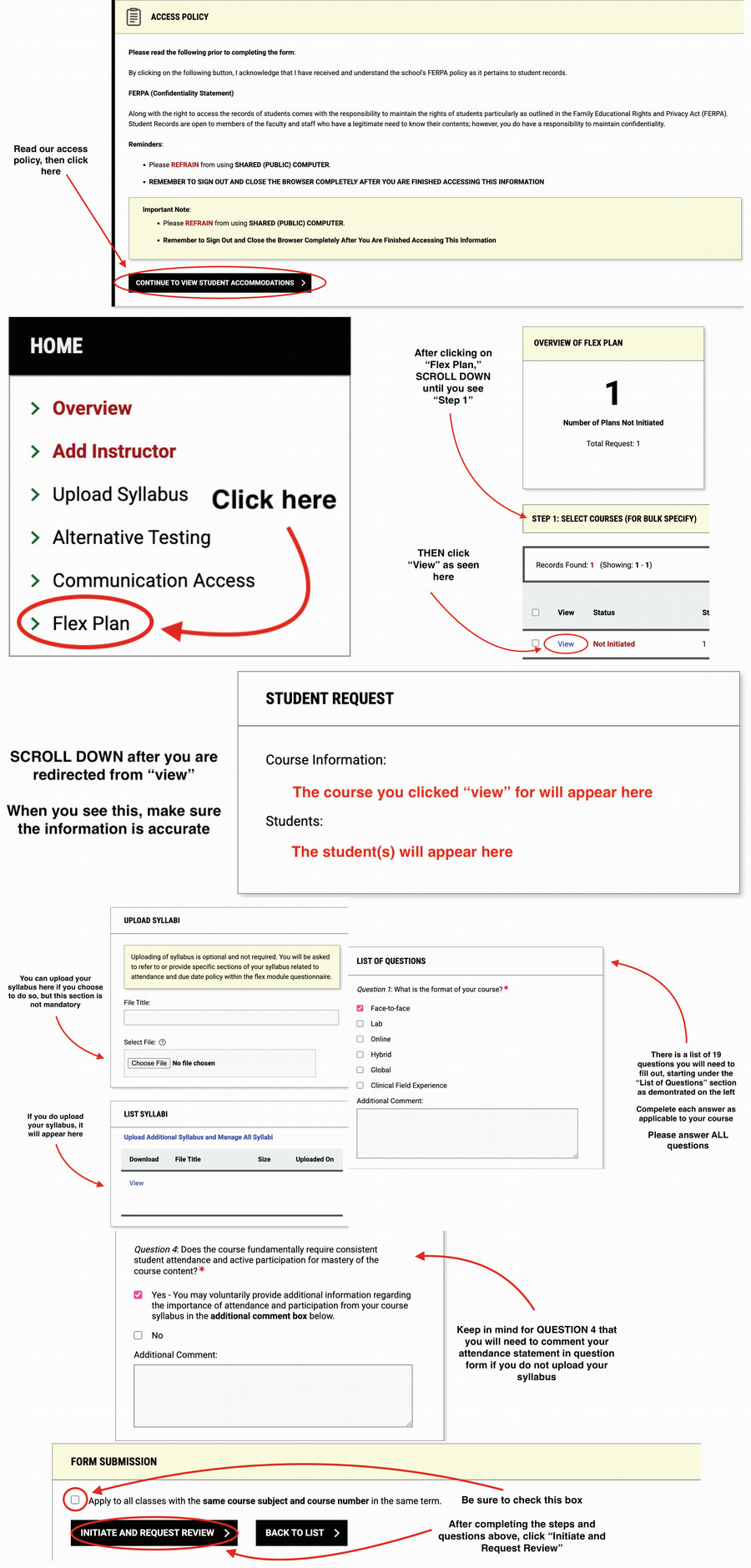
How to Complete Flex Plan for Instructors
Follow the tutorial below for Flex Plan completion
After receiving an email from DAS.NMSU@ACCESSIBLELEARNING.COM that you have a student with Flex Accommodations, please follow these instructions below to complete the requirements.
Please make sure you enable the session extender on the upper lefthand side of the screen when you log into AIM. Do this by clicking the ENABLE button so that it switches to ON. This ensures that your work will be saved.
Click the link for the Written Tutorial: Completing Flex Plan for Instructors.
Access the PDF version of this tutorial here.