AIM Alternate Testing/Exam Tutorials for Instructors
Follow the tutorials below for working with Alternate Testing Agreements/exam dates in AIM.
Please upload exam dates into AIM as far in advance as possible to allow students to schedule their exams. Note that while exam dates may be tentative, students cannot schedule exams until dates are entered into the system.
Additionally, you must complete an alternative testing agreement for each course unless you teach multiple sections of the same course.
Please make sure you enable the session extender on the upper lefthand side of the screen when you log into AIM. Do this by clicking the ENABLE button so that it switches to ON. This ensures that your work will be saved.
Click the link to access the Written Tutorials: Alternate Testing/Exam Dates for Instructors.
How to Complete Alternate Testing Agreement and Upload Exam Dates
How to Create Exam Dates for Multiple Course Sections
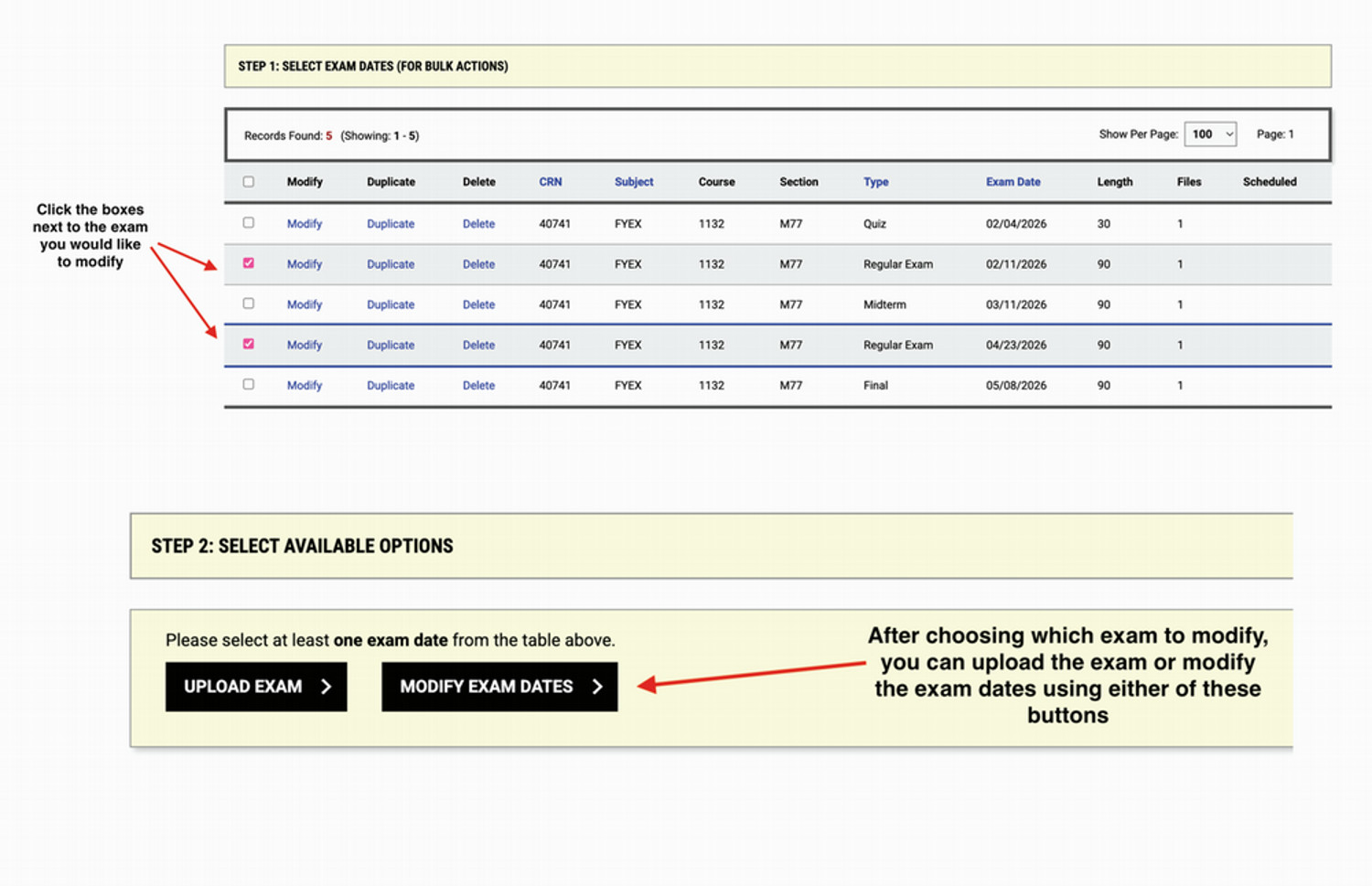
How to Change Exam Dates/Upload Exam Dates at a Later Time
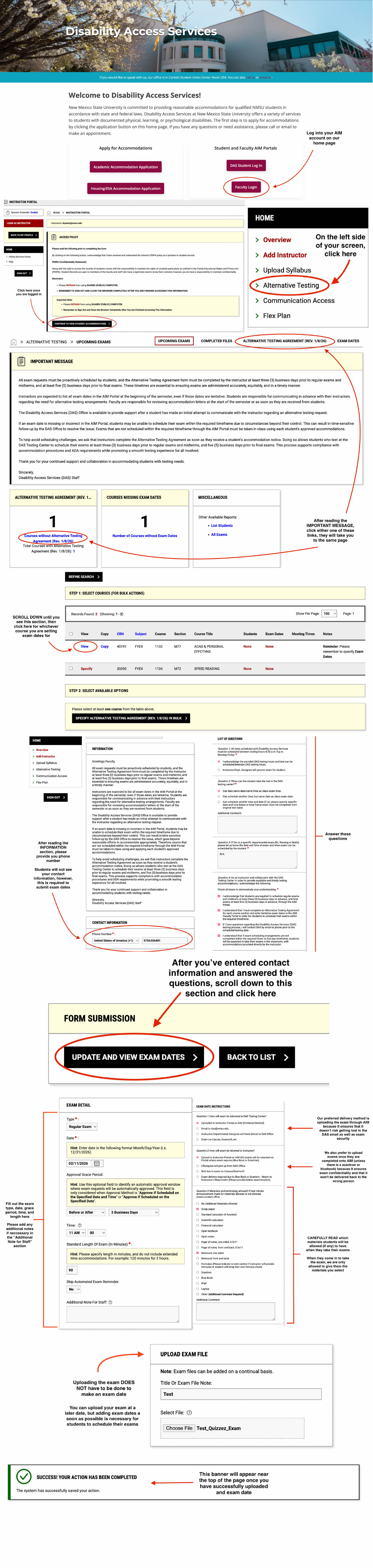
How to Complete Alternate Testing Agreement and Upload Exam Dates
Access the PDF version of this tutorial here.
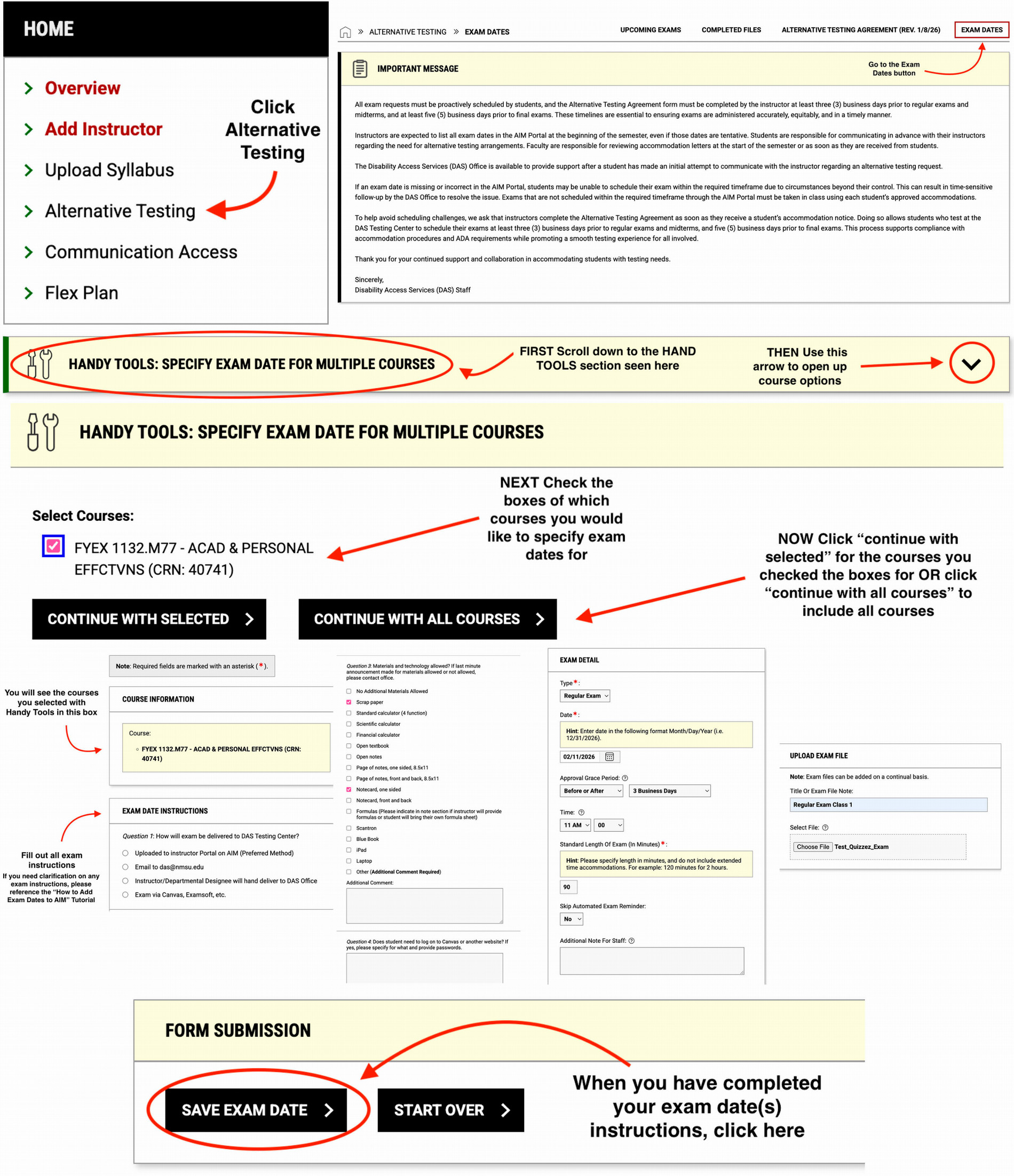
How to Create Exam Dates for Multiple Course Sections
Access the PDF version of this tutorial here.
How to Change Exam Dates/Upload Exam Dates at a Later Time
Access the PDF version of the tutorial here.